

How to review trades
Review the week, not every tick. That is where the edge shows up.
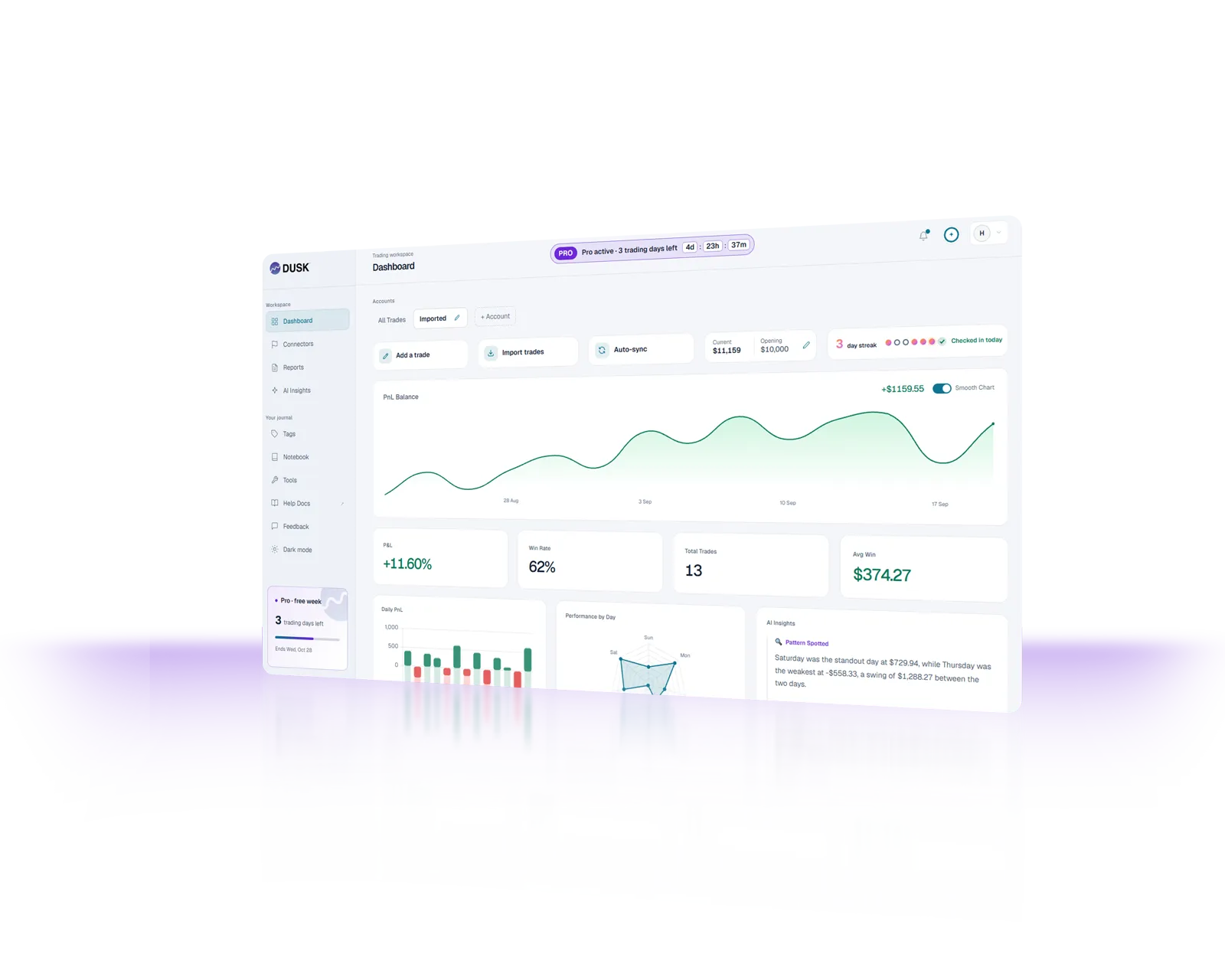
The weekly review answers four questions: which setups worked, what the timing looked like, whether you followed your rules, and where emotion costs you. Dusk Analyst does the summarizing — weekly reports and AI insights on your own history.
Free tier: 2 accounts, no card required.
 MetaTrader 4
 MetaTrader 5
 cTrader
 NinjaTrader 8
 FTMO
 The5ers
 FundingPips
 FundedNext
 IC Markets
 Pepperstone
 Topstep
 Alpha Capital
 Exness
 OANDA
 FxPro
 Vantage
Any broker or prop firm on MT4, MT5, cTrader or NinjaTrader 8 syncs. Also imports TradingView, CSV and Excel and MT4 / MT5 reports. See all 365 brokers
26 seconds
Watch a trade log itself.
A real MetaTrader terminal. Close the trade, open Dusk Analyst, and it’s already there: symbol, direction, entry, exit and P&L. Nothing to export, nothing to type, nothing forgotten.
Auto-sync (MT4, MT5, cTrader, NinjaTrader) is on Pro. Free is for logging trades by hand.
Get started, freeThe framework
A four-question weekly trade review
Fifteen minutes, once a week, four questions.
1. Setups
Which tags/setups won and lost this week? If breakout is carrying you and news entries are losing money, the tags show it in one screen.
2. Timing & rules
What sessions and times hurt? Did you take trades outside your plan? Missed setups count too. Rule adherence is the behavior that actually compounds.
3. Emotions + the streak check
One line on how the week felt. On a losing streak: is it variance of a working edge, or violations? The data decides — Dusk Analyst's AI insights can check loss clustering and session patterns for you.
Review method
How to review trades: grade the decision, not the result
When traders learn how to review trades, the first mistake is judging each one by its P&L. A loss feels like an error and a win feels like proof. But a single trade's result is mostly chance. What you control is the decision. A good review separates the two, then looks at how they line up.
Step 1: grade every trade before you look at the money
Hide the P&L column, or review from your entry screenshots. For each trade ask four questions: was it a setup from my plan, was the size right, did I enter where the plan said, and did I exit by the rules? Four yes answers is an A. One slip is a B. A trade the plan would never take is a C. Write the grade as a tag.
Step 2: sort into the four boxes
- Good trade, won. Your edge working. Nothing to fix.
- Good trade, lost. The cost of doing business. Do not change anything because of these.
- Bad trade, won. The dangerous box. The money rewards a habit that will cost you later.
- Bad trade, lost. The clearest lesson. Find the rule that would have kept you out.
A worked example
Say your example week has 20 trades. 9 good trades won +$1,350 and 5 good trades lost −$500. 3 bad trades won +$270 and 3 bad trades lost −$690. The week is up +$430, which looks fine. Split by grade, the good trades made +$850 and the bad trades lost −$420. Your plan worked. Your exceptions to it cost almost half of what it made. The fix is not a new setup. It is cutting the 6 bad trades.
Step 3: one change, written down
Pick the single rule break that cost the most and write a rule against it for next week. One change at a time, so next week's review can tell you whether it worked. Three changes at once and you will never know which one mattered.
What to track so this gets faster
- A grade tag on every trade: A, B or C.
- A one-line note on every B and C trade saying what slipped.
- Two screenshots on trades you want to study: entry and after exit.
- P&L by grade, week by week. If the C total shrinks, your review is working even before your net P&L shows it.
With grades as tags, Dusk Analyst totals P&L, win rate and profit factor per grade in a filter, so the four boxes take minutes to fill. See also rule adherence and common trading mistakes.
How it works
Live in two minutes.
Create your account
Sign up and grab a per-account API key from the connectors panel.
Drop in the EA, cBot or add-on
One file into MetaTrader 4, MetaTrader 5, cTrader or NinjaTrader 8. No extra software.
Trades sync themselves
Every close pushes into the vault automatically. Journal complete, always.
See it in action
Ask your trading data anything.
Your journal isn't a logbook, it's a dataset. The AI reads your actual trade history and answers the questions that move your edge.
- Did my A-grade trades make money this month, and what did the C-grade ones cost me?
- Which of my losing trades followed my plan exactly?
- What did I do differently on my three best days?
Trading psychology
Mistakes, habits and what the numbers say
Choosing a journal
Free plans, pricing and picks
Pricing
Free to start. $25 a month to automate.
FAQ
Trade review questions, answered honestly.
What is the difference between a good trade and a winning trade?
A good trade followed your plan; a winning trade just made money. Good means the right setup, the planned size, a stop where the plan put it and an exit by the rules. The two often split apart. A planned trade that hits its stop is still good, and an impulse entry that happens to pay is still bad. Reviews that only judge P&L end up rewarding luck, so grade the process first and read the result second.
How do I grade my trades in a review?
Grade your trades with three letters and put one on every trade. A means setup, size, entry and exit all matched your plan. B means one part slipped, such as a late entry or an early exit. C means the trade should never have been taken. Save the grade as a tag so you can total P&L by grade each week. If C trades lose and A trades earn, the fix is discipline, not a new strategy.
Should I review winning trades or only losing trades?
Review winning trades as closely as losing ones. A winner taken off plan teaches a bad habit, because the money makes it feel right. A loser that followed the plan needs no fix at all. Sort every trade into four boxes: good wins, good losses, bad wins and bad losses. The bad wins deserve the second read, because they are the trades you are most likely to repeat.
How do I use screenshots to review a trade?
To review a trade with screenshots, take one at entry and one after the exit, on the same timeframe. The entry shot shows what you saw when you decided. The exit shot shows what happened next, including where price went after you left. In review, cover the exit shot and ask whether the entry still looks like your setup. Dusk Analyst attaches screenshots to each trade, so the chart sits beside the size, P&L and your note.
What should a monthly trading review cover that a weekly one misses?
A monthly trading review gives you enough trades to compare setups, symbols and grades with some confidence, where one week is mostly noise. Use the month to decide whether to drop a setup, change size or narrow your markets. Use the week only to catch rule breaks. Dusk Analyst sends weekly reports on every plan, and Pro adds monthly reports, so both reviews open on numbers rather than memory.
How do I tell if a losing week was bad luck or bad trading?
To tell bad luck from bad trading, read the grades on the losing trades. If most losses were A-grade trades taken by the plan, the week was probably normal variance, and changing strategy would be a reaction to noise. If losses cluster in B and C trades, execution was the problem. Check size too: a few oversized losers can turn a normal week red. Compare the week's average loss with your usual one before you change anything.
Can AI review my trades for me?
AI can review your trades for the counting, not the judging. Dusk Quant, the AI on Pro, reads what your journal stores: your tags and notes, screenshots, account, symbol, direction, size, entry and exit, times, P&L, commission and swap. Ask it to total your C-grade trades or compare this month with last, and it lays out the numbers. It cannot tell you felt rushed unless a note or tag says so. Pro includes 1,000 AI trade-analyses a month.
Guides
Find the setup for how you trade.
Templates & guides21
- Tradovate Trading Journal
- Automated Trading Journal
- No Investor Password Journal
- Free Trading Journal
- Beginners Journal
- Excel Journal Template
- Google Sheets Journal
- Notion Trading Journal
- Best Free Journal
- How to Journal Trades
- How to Review Trades
- Swing Trading Journal
- Trading Log
- Trading Diary
- Trading Journal for Mac
- Paper Trading Journal
- Revenge Trading
- Overtrading
- Common Trading Mistakes
- How Many Day Traders Are Profitable
- Trading Metrics Explained