

 Broker · verified 2026
Pepperstone trading journal with MT4, MT5 and cTrader auto-sync
Yes, Dusk Analyst auto-syncs your Pepperstone MT4, MT5 and cTrader account: Dusk Sync from the Microsoft Store (MT5), a read-only EA (MT4) or a cBot (cTrader) runs on your own PC and logs each closed trade, and nothing logs into your account from our servers. Pepperstone is covered by Dusk Analyst auto-sync on Pro, with a 14-day free trial. Dusk Analyst also auto-syncs NinjaTrader for futures traders. Our 2026 audit verified Pepperstone against its own site.
No card required.
 MetaTrader 4
 MetaTrader 5
 cTrader
 NinjaTrader 8
 FTMO
 The5ers
 FundingPips
 FundedNext
 IC Markets
 Pepperstone
 Topstep
 Alpha Capital
 Exness
 OANDA
 FxPro
 Vantage
Any broker or prop firm on MT4, MT5, cTrader or NinjaTrader 8 syncs. Also imports TradingView, CSV and Excel and MT4 / MT5 reports. See all 365 brokers
26 seconds
Watch a trade log itself.
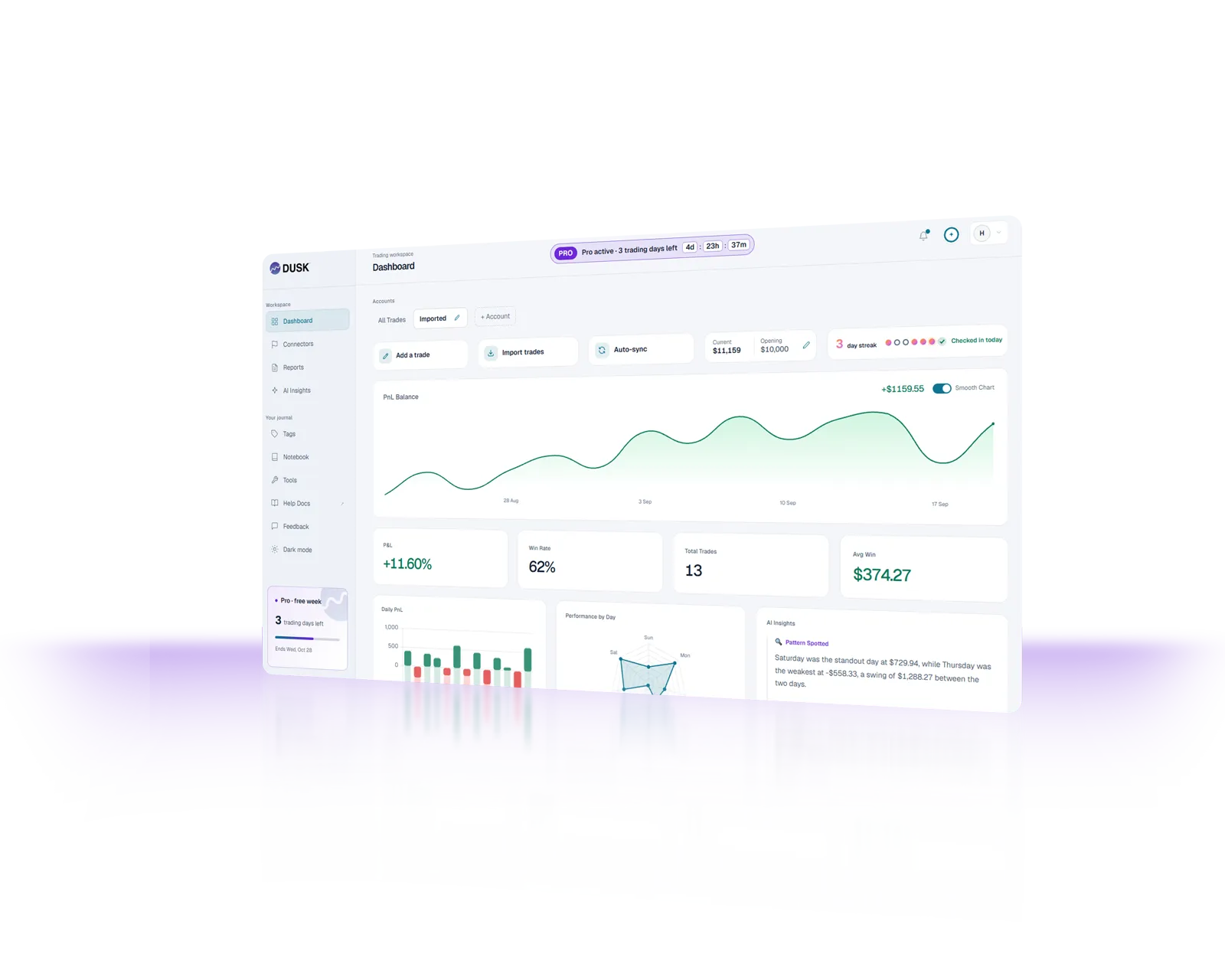
A real MetaTrader terminal. Close the trade, open Dusk Analyst, and it’s already there: symbol, direction, entry, exit and P&L. Nothing to export, nothing to type, nothing forgotten.
Auto-sync (MT4, MT5, cTrader, NinjaTrader) is on Pro. Free is for logging trades by hand.
Get started, freeSupported on
How Pepperstone trades get into Dusk Analyst
MT4 Expert Advisor (EA) auto-sync; MT5 auto-sync with Dusk Sync (Microsoft Store app); cTrader cBot auto-sync; TradingView CSV import. Verified against Pepperstone's own site in our 2026 audit of 365 brokers and prop firms.
Automatic sync
Every closed trade pushes to your journal the moment it closes. no CSV, no manual entry on Pro.
Your data stays yours
Trades sync over HTTPS with a per-account API key. The journal never sees your broker password, and your data is never sold.
Free to start
$0 forever, up to 2 accounts, no credit card. Pro adds unlimited accounts, AI insights and full export for $25/month.
How it works
Live in two minutes.
Create your account
Sign up and grab a per-account API key from the connectors panel.
Drop in the EA, cBot or add-on
Pepperstone runs MT4, MT5, cTrader; one file into the platform.
Trades sync themselves
Every close pushes into the vault automatically. Journal complete, always.
See it in action
Ask your trading data anything.
Your journal isn't a logbook, it's a dataset. The AI reads your actual trade history and answers the questions that move your edge.
- Why do my losses cluster on Fridays?
- Which strategy am I actually profitable in?
- What happens when I break my 1% risk rule?
Platforms
Journal guides for Pepperstone's platforms
Auto-sync setup
How do I connect my platform?


Broker search
Does my broker work?


Each broker was checked against its own site in our 2026 audit. See all 365.
Pricing
Free to start. $25 a month to automate.
Start journaling Pepperstone trades today.
365 brokers verified. MT4, MT5, cTrader and NinjaTrader auto-sync takes two minutes to set up on Pro; Free starts at $0. Let your journal record itself.
Get started, freeNo card required.
FAQ
Pepperstone trading journal questions, answered.
Does Dusk Analyst work with Pepperstone?
Yes. Dusk Analyst works with Pepperstone and syncs your trades automatically through MT4 Expert Advisor (EA) auto-sync; MT5 auto-sync with Dusk Sync (Microsoft Store app); cTrader cBot auto-sync; TradingView CSV import. The moment a trade closes, the read-only EA or cBot pushes the closed-trade data over HTTPS: entry, exit, lot size and P&L. You create an account, grab your per-account API key from the connectors panel, and attach the EA or cBot to your terminal. Setup takes about two minutes, and if your terminal was off when a trade closed, the sync catches up automatically on its next run. This was verified against Pepperstone's own site as part of our 2026 audit of 365 brokers and prop firms.
How do I sync Pepperstone trades?
Syncing Pepperstone trades takes about two minutes. First, create your free Dusk Analyst account and copy the per-account API key from the connectors panel. Next, download the MT4/MT5 and cTrader file from the downloads page and attach it to your terminal chart. MT4 Expert Advisor (EA) auto-sync; MT5 auto-sync with Dusk Sync (Microsoft Store app); cTrader cBot auto-sync; TradingView CSV import. Every closed trade then pushes to your journal automatically over HTTPS, and the journal never sees your broker password. You can also backfill older history with CSV import at any time. The Free tier covers two accounts logged by hand, while Pro brings CSV import and auto-sync from MT4, MT5, cTrader and NinjaTrader.