

TradeZella alternative
TradeZella alternative with a free plan and MT4/MT5/NinjaTrader auto-sync
The best TradeZella alternative for MT4, MT5, cTrader and NinjaTrader 8 traders is Dusk Analyst: it has a free-forever plan for 2 accounts, Pro at $25 a month for unlimited accounts (TradeZella starts at $35 for 1), a no-card trial, and an EA that sends each trade seconds after it closes instead of a cloud sync every 3 hours.
Want the detail? Dusk Analyst vs TradeZella, feature by feature.
Disclosure: Dusk Analyst is our product. Every TradeZella fact below links to TradeZella's own pricing or help pages, checked 14 October 2026.
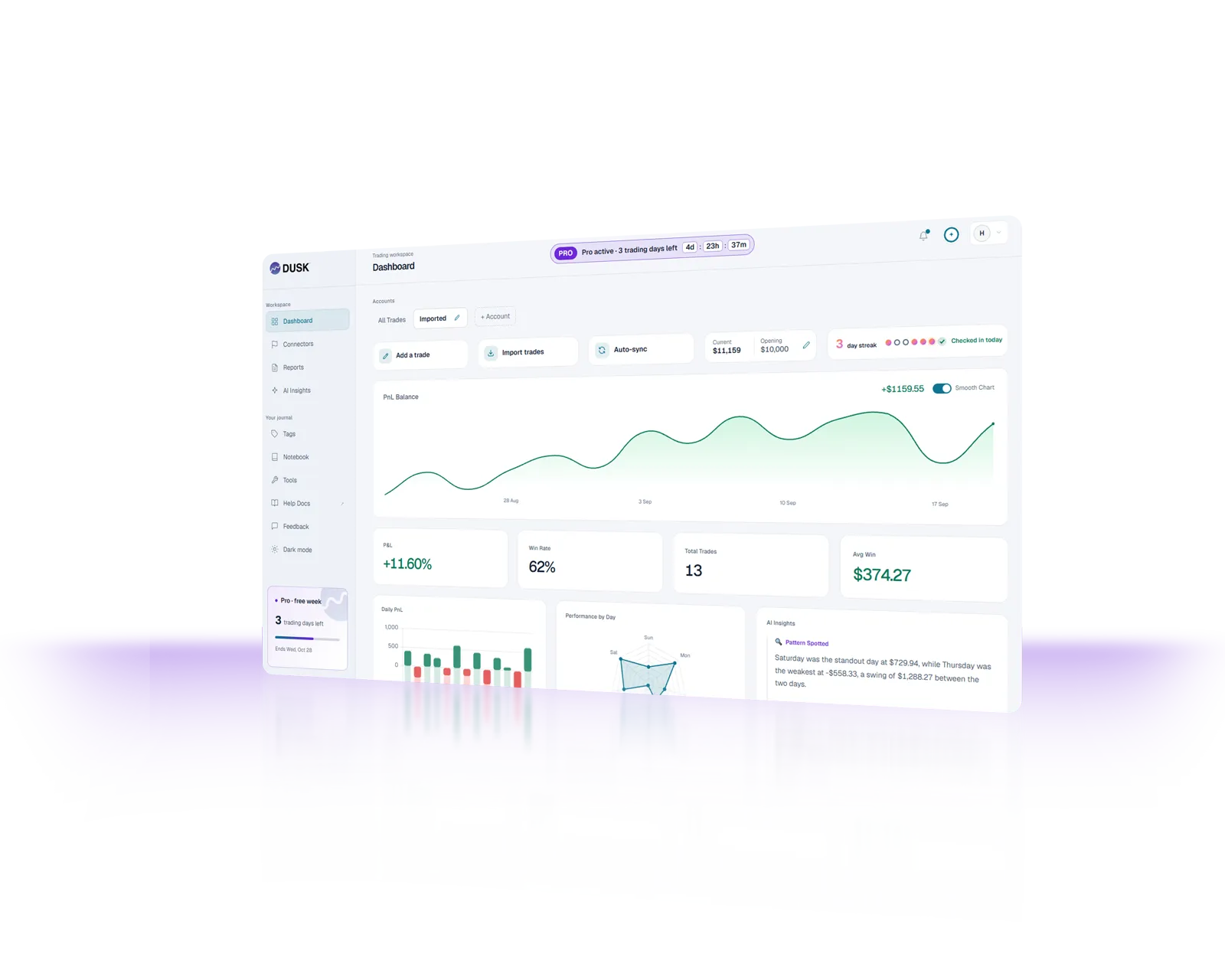
Dusk Analyst is a TradeZella alternative with a free-forever plan for 2 accounts and $25 per month for unlimited accounts, against TradeZella's $35 per month for 1 account. MT4, MT5, cTrader and NinjaTrader 8 trades sync seconds after they close through a read-only EA, cBot or add-on, and Pro has a no-card trial.
 MetaTrader 4
 MetaTrader 5
 cTrader
 NinjaTrader 8
 FTMO
 The5ers
 FundingPips
 FundedNext
 IC Markets
 Pepperstone
 Topstep
 Alpha Capital
 Exness
 OANDA
 FxPro
 Vantage
Any broker or prop firm on MT4, MT5, cTrader or NinjaTrader 8 syncs. Also imports TradingView, CSV and Excel and MT4 / MT5 reports. See all 365 brokers
Quick answers
Is there a free alternative to TradeZella?
Yes. Dusk Analyst's Free tier is $0 forever with unlimited trades, two accounts, manual entry, tags, calendars, core analytics and weekly reports.
How long is the Dusk Analyst Pro trial?
Pro starts with a 14-day free trial, then Pro is $25/month unless you cancel.
26 seconds
Watch a trade log itself.
A real MetaTrader terminal. Close the trade, open Dusk Analyst, and it’s already there: symbol, direction, entry, exit and P&L. Nothing to export, nothing to type, nothing forgotten.
Auto-sync (MT4, MT5, cTrader, NinjaTrader) is on Pro. Free is for logging trades by hand.
Get started, freeAt a glance
Dusk Analyst at a glance.
- Price
- $0 or $25/monthFree forever. Pro is one flat price.
- Free plan
- 2 accounts, no cardManual entry, file import, tags, calendars and weekly reports. No time limit.
- Auto-sync
- MT4 · MT5 · cTrader · NinjaTraderOn Pro. Pro starts with a 14-day free trial.
- How sync works
- EA, cBot or NinjaTrader add-onRuns in your own terminal and sends each closed trade.
- Your password
- Never asked forNothing logs into your broker account from our servers.
- Brokers
- 365 checkedAny broker or prop firm on MT4, MT5, cTrader or NinjaTrader 8 works.
- Setup
- About 2 minutesPer account, once.
- Where it runs
- In your browserDesktop and phone. Nothing to install except the EA, cBot or NinjaTrader add-on.
- AI
- Dusk QuantAnswers questions about your own trades. Pro, 1,000 trade-analyses a month.
Why switch
Why traders look for a TradeZella alternative
- Price. TradeZella raised its prices on 14 July 2026: $35, $59 or $99 a month (TradeZella help: Our Pricing, checked 14 Oct 2026).
- No way to try it. Its pricing page lists no free plan and no free trial (TradeZella pricing page, checked 14 Oct 2026).
- One account on the entry plan. Essential connects 1 account; more than one needs $59 Pro (TradeZella pricing page, checked 14 Oct 2026).
- Slow MetaTrader sync. Broker sync re-syncs every 3 hours, manual refresh at most every 15 minutes (TradeZella help: Broker Sync, Same-Day Trades, checked 14 Oct 2026).
Price
TradeZella price after the July 2026 increase
TradeZella changed its pricing on 14 July 2026. Its cheapest plan is now Essential at $35 a month, and it connects 1 account; connecting a second account means Pro at $59 a month. Dusk Analyst's Free plan covers 2 accounts at $0, and Pro is $25 a month for unlimited accounts. A prop trader running a challenge and a funded account pays $0 or $25 with us, and $59 a month (or $44 a month billed yearly) with TradeZella.
| Plan | Monthly | Yearly (per month) | Accounts |
|---|---|---|---|
| Dusk Analyst Free | $0 | $0 | 2 |
| Dusk Analyst Pro | $25 | Not offered | Unlimited |
| TradeZella Essential | $35 | $26 ($315/year) | 1 |
| TradeZella Pro | $59 | $44 ($531/year) | Up to 50 |
| TradeZella Ultra | $99 | $74 ($891/year) | Unlimited |
TradeZella: TradeZella pricing page, checked 14 Oct 2026. The new prices took effect on 14 July 2026; subscribers from before that date keep their price until they switch plan or billing cycle, or resubscribe (TradeZella help: Our Pricing, checked 14 Oct 2026).
Free plan and trial
TradeZella free trial: is there one?
- TradeZella: its pricing page lists no free plan and no free trial (TradeZella pricing page, checked 14 Oct 2026). You pay before you try.
- Dusk Analyst: the Free plan is free forever (2 accounts, manual entry, weekly reports) and needs no card.
- Pro trial: every new account gets Pro, including MT4, MT5, cTrader and NinjaTrader 8 auto-sync, with a 14-day free trial.
Sync
TradeZella MT5 sync vs Dusk Analyst
- How TradeZella connects MT4/MT5: you give it your account number, your investor password and your broker server, and it logs in from its side (TradeZella help: Link your MetaTrader 4/5 account, checked 14 Oct 2026). Its broker sync re-syncs every 3 hours, and you can refresh by hand at most every 15 minutes (TradeZella help: Broker Sync, Same-Day Trades, checked 14 Oct 2026).
- How Dusk Analyst connects MT4/MT5: a small read-only Expert Advisor runs inside your own terminal. It checks your history every 5 seconds and sends each closed trade to your journal as soon as it closes. No password leaves your computer. Setup: connect MT5, connect MT4.
- Why speed matters: if you check your day's P&L between trades, a journal that is up to 3 hours behind cannot show it. Ours shows the trade seconds after it closes.
- Our honest trade-off: the EA only runs while your terminal runs. If you close MetaTrader, nothing syncs until you open it again (then it backfills what it missed). TradeZella's cloud login works with your terminal closed. Many traders keep the terminal on a VPS for this reason.
Prop firm safety
A TradeZella alternative that never logs into your prop account
- Nothing logs into your trading account from our servers. Dusk Analyst never asks for your investor password or broker login. TradeZella's MT4/MT5 sync asks for your investor password and logs in for you (TradeZella help: Link your MetaTrader 4/5 account, checked 14 Oct 2026).
- Closed trades only. The EA, cBot and NinjaTrader add-on read your closed trade history and send it over HTTPS with a per-account API key. They contain no code that places, modifies or closes orders.
- Why prop traders care: some traders worry that a third-party service logging into a funded account from its own servers looks unusual to the prop firm. With Dusk Analyst the only connection to your broker is your own terminal on your own machine. Check your firm's rules on third-party tools either way.
Prop firms
TradeZella for FTMO and forex prop firms
- PropFirm Sync is about money, not trades. It tracks prop firm fees, resets and payouts, and can detect those payments automatically when you connect a bank or card through Plaid (TradeZella help: What Is PropFirm Sync?, checked 14 Oct 2026).
- Auto-detection covers 10 firms: TopStep, Apex Trader Funding, Tradeify, Take Profit Trader, Bulenox, Top One Futures, My Funded Futures, Funded Next, Alpha Futures and Lucid Trading. Nine of them are futures firms. FTMO, The5ers, FundingPips and E8 are not on the list, so you track them by hand (TradeZella help: What Is PropFirm Sync?, checked 14 Oct 2026).
- Dusk Analyst for forex prop firms: we do not track fees or payouts. We sync the trades: any FTMO, FundedNext or other firm account on MT4, MT5, cTrader or NinjaTrader 8 connects through the EA, cBot or add-on, each in its own account book. See FTMO, FundedNext and prop firm journal.
- Accounts: a challenge plus a funded account is 2 accounts. That is free on Dusk Analyst, and TradeZella's $59 Pro plan on theirs.
The full comparison
TradeZella vs Dusk Analyst: feature by feature
| Dusk Analyst | TradeZella | |
|---|---|---|
| Price per month (monthly billing) | Free $0; Pro $25 | Essential $35; Pro $59; Ultra $99 (TradeZella pricing page, checked 14 Oct 2026) |
| Price per month (yearly billing) | No yearly price published; Pro is $25 a month | Essential $26, Pro $44, Ultra $74 (billed yearly) |
| Free plan | Yes, free forever, 2 accounts, no card | None listed |
| Free trial | Pro has a 14-day free trial | None listed |
| Accounts included | Free: 2. Pro: unlimited | Essential: 1. Pro: up to 50. Ultra: unlimited |
| Password or investor password needed? | No. Dusk Analyst never asks for your broker password or investor password, and nothing logs into your account from our servers. | Yes: MT4/MT5 sync asks for your investor password (TradeZella help, checked 14 Oct 2026) |
| MT4 / MT5 sync method | Read-only EA in your own terminal, no password shared | Cloud login with account number, investor password and server (TradeZella help: Link your MetaTrader 4/5 account, checked 14 Oct 2026) |
| How fast a closed trade appears | EA checks every 5 seconds and sends each trade as it closes | Automatic re-sync every 3 hours; manual refresh at most every 15 minutes (TradeZella help: Broker Sync, Same-Day Trades, checked 14 Oct 2026) |
| cTrader | Read-only cBot, sends each position when it closes | Account login and "Allow access" step (TradeZella help: cTrader sync, checked 14 Oct 2026) |
| Terminal has to be running | Yes (your PC or a VPS) | No |
| Prop firm auto-detection | No; each prop account is its own account book with its own API key | PropFirm Sync auto-detects payments for 10 firms via Plaid; others are manual (TradeZella help: What Is PropFirm Sync?, checked 14 Oct 2026) |
| AI | AI Insights, 1,000 credits a month (Pro) | Zella AI on every plan, 500 / 1,500 / 3,000 credits a month |
| Backtesting | No | Yes: 10 manual strategies on Essential; automated runs on Pro (10/mo) and Ultra (100/mo) |
| Trade replay | No | Pro and Ultra (not on Essential) |
| Import / export | Manual entry on Free; CSV import and export on Pro | File upload and broker sync; export not listed on pricing page |
| Mobile app | No native app | None listed on pricing page |
| Support | Email; a person reads every reply | Standard on Essential and Pro; Priority on Ultra |
TradeZella column: TradeZella pricing page, checked 14 Oct 2026 unless another source is linked. Dusk Analyst column: our pricing page.
Platforms
TradeZella with Match-Trader, DXtrade and cTrader
- Match-Trader: TradeZella's help centre documents Match-Trader import by file upload (TradeZella help: Match-Trader file upload, checked 14 Oct 2026). Dusk Analyst does not support Match-Trader at all; use CSV import if your platform can export one.
- DXtrade: TradeZella syncs DXtrade, but if your server is not in its list you paste the platform's web URL into the server field yourself (TradeZella help: DXtrade sync, checked 14 Oct 2026). Dusk Analyst does not support DXtrade.
- cTrader: TradeZella connects through a cTrader login and "Allow access" step (TradeZella help: cTrader sync, checked 14 Oct 2026). Dusk Analyst uses a read-only cBot on desktop cTrader that sends each position when it closes (setup guide); it does not work in cTrader Cloud.
Fair is fair
When TradeZella is still the better choice
- Backtesting and replay. TradeZella has manual and automated backtesting and trade replay on Pro and Ultra (TradeZella pricing page, checked 14 Oct 2026). Dusk Analyst has neither.
- Futures and stocks brokers. TradeZella says it supports 500+ broker and prop firm integrations (TradeZella pricing page, checked 14 Oct 2026), with a focus on US futures and stock platforms. Dusk Analyst auto-syncs only MT4, MT5, cTrader and NinjaTrader 8.
- More AI on top plans. Zella AI goes up to 3,000 credits a month on Ultra, plus AI agents on Pro and Ultra (TradeZella pricing page, checked 14 Oct 2026). Dusk Analyst Pro includes 1,000.
- A bigger, older community. TradeZella is the better-known brand with more users and content.
- Mobile: a tie. Neither has a native mobile app listed.
Decision
Which TradeZella alternative should you pick?
| You are... | Pick | Why |
|---|---|---|
| A forex trader on MT4, MT5, cTrader or NinjaTrader 8 | Dusk Analyst | Trades arrive seconds after they close, no password shared, $0 to start |
| A forex prop trader (FTMO, FundedNext, The5ers) | Dusk Analyst | Challenge plus funded account free on 2 accounts; EA runs in your own terminal |
| Running many accounts | Dusk Analyst | Pro $25 is unlimited; TradeZella needs Pro $59 (up to 50) or Ultra $99 |
| On a budget, or want to try before paying | Dusk Analyst | Free forever plan and a no-card Pro trial; TradeZella lists neither |
| A US futures prop trader (Topstep, Apex) | TradeZella | PropFirm Sync auto-detects those firms' payments and it covers futures platforms |
| Someone who backtests or replays trades | TradeZella | Backtesting and replay are built in; we have neither |
| Trading on Match-Trader or DXtrade | TradeZella | It supports both (file upload for Match-Trader); we support neither |
Compare
Coming from another journal?
Switching plan
Switching to a TradeZella alternative: a five-day plan with no gap in your journal
If you are moving to a TradeZella alternative, the switch is the risky part, not the new journal. The traders who leave TradeZella usually do it for one of three reasons: the price after July 2026, wanting to try before paying, or not wanting to hand over an investor password. Done badly you end up with missing weeks, mixed accounts, or tags you never rebuild. Here is a plan that fits inside the 14-day free Pro trial.
Day 1: history
Export each account's full history from the platform, not from TradeZella. Create one Dusk Analyst account book per trading account first, with clear names such as FTMO 100k phase 2 or Live IC, then import each file into its own book. Mixing two accounts into one book is the most common switching mistake.
Day 2: reconcile
For each account, compare two numbers with your platform report: closed trades and net P&L. Example from a trader's own MT5 account: report shows 286 trades and +$2,147.30, journal shows 286 and +$2,147.30. If net P&L differs, the usual cause is a date range that clipped the first or last week. Trade counts can differ when a platform lists partial closes as separate rows; Dusk Analyst keeps them inside one trade.
Day 3: live sync
Add the read-only EA to MT4 or MT5, the cBot to desktop cTrader, or the add-on to NinjaTrader 8. About 2 minutes per account, each with its own API key. Keep the terminal running, or move it to a VPS if you switch your PC off.
Day 4: tags
Rebuild your setup tags, but only the ones you actually used. If your old journal had 25 tags and 6 of them covered most trades, rebuild 6. Re-tag the last 30 to 50 trades so your first review has labelled data.
Day 5: compare and decide
By now a few days of trades should exist in both journals. Check they match. Then decide:
- Switch fully if your platforms are MT4, MT5, cTrader or NinjaTrader 8 and you do not rely on replay or backtesting.
- Keep both for now if you have a DXtrade or Match-Trader account, which Dusk Analyst does not support.
- Stay if backtesting or replay is part of your weekly routine.
Before you cancel
TradeZella says subscribers from before 14 July 2026 keep their old price until they change plan or billing cycle, or resubscribe. If you are on an old price and unsure, keep it until the parallel week convinces you. If you let the free Pro days lapse, your Dusk Analyst account falls back to Free, trades intact, with 2 accounts that cost nothing.
How it works
Live in two minutes.
Create your account
Sign up and grab a per-account API key from the connectors panel.
Drop in the EA, cBot or add-on
One file into MetaTrader 4, MetaTrader 5, cTrader or NinjaTrader 8. No extra software.
Trades sync themselves
Every close pushes into the vault automatically. Journal complete, always.
See it in action
Ask your trading data anything.
Your journal isn't a logbook, it's a dataset. The AI reads your actual trade history and answers the questions that move your edge.
- I imported 9 months of MT5 history. Which month was my worst, and what was different about it?
- Which symbol have I traded most since switching, and is it paying?
- How much did commission cost me across all my accounts last quarter?
Choosing a journal
Free plans, pricing and picks
Broker search
Does my broker work?


Each broker was checked against its own site in our 2026 audit. See all 365.
Pricing
Free is enough to build the habit. Pro is where it runs itself.
Start manual and free. Upgrade to MT4, MT5, cTrader or NinjaTrader auto-sync when you're ready to stop touching it.
Free
$0
A real journal, free from day one. $0 forever, up to 2 accounts, no credit card required, weekly reports included, and manual entry with tags and analytics.
- Up to 2 accounts
- Manual entry + CSV import from any platform
- Tags, calendars & core analytics
- Weekly reports
No terminal connection. Upgrade to Pro when you want the vault to fill itself.
Start freePro
$25/month
The journal that journals itself. $25/month auto-syncs MT4, MT5, cTrader and NinjaTrader 8 across unlimited demo, live and funded accounts, with 1,000 AI trade-analyses a month, monthly reports and full export.
- Auto-sync MT4, MT5, cTrader and NinjaTrader 8 (terminal connection)
- Unlimited accounts, demo, live & funded
- AI insights & automated session reviews
- 1,000 AI trade-analyses every month
- Monthly reports + full export
- Priority support
14-day free trial. Then $25/month.
Start your 14-day free trial See auto-sync in 26 secondsNo setup fees. Free needs no card, and Pro starts with a 14-day free trial. After that it is $25/month. We email you before billing starts.
Switch without paying first.
Free forever for 2 accounts. Auto-sync (MT4, MT5, cTrader, NinjaTrader), with a 14-day free trial.
Get started, freeNo card required.
FAQ
TradeZella alternative questions, answered.
How do I move my trade history over when I leave TradeZella?
To move your history when you leave TradeZella, pull it from your trading platform, not from TradeZella. Export the account history from MT4, MT5, cTrader or NinjaTrader 8 and import it into Dusk Analyst; MetaTrader and cTrader files are recognised on sight, and any other CSV needs its columns matched just once. The platform file is the record your broker agrees with and carries commission and swap. Import is on Pro, so you can bring the whole history across during the 14-day free trial before deciding whether to pay.
Will my TradeZella tags and notes come with me?
No, your TradeZella tags and notes will not come across, so plan on recreating them. Trade data comes from your platform export, but tags and notes are written in your old journal, and Dusk Analyst does not read another journal's tag format. The practical fix: rebuild your 5 to 8 most used setup tags, then re-tag only your last 30 to 50 trades. Older trades still count in P&L, calendars and equity curves, just without a setup label.
I'm on an older TradeZella price. Should that change when I switch?
An older TradeZella price can be lost if you cancel and later resubscribe, so check before you cancel. TradeZella's help page says subscribers from before 14 July 2026 keep their old price until they switch plan or billing cycle, or resubscribe. So if you leave and later return, you would pay the current price. If you want a safety net, run Dusk Analyst alongside your existing plan for a week first; the read-only EA does not interfere with TradeZella's own broker connection.
What features will I lose by switching from TradeZella?
Switching from TradeZella, you lose backtesting, trade replay, AI agents, and Match-Trader and DXtrade support. TradeZella has manual and automated backtesting and replay on its higher plans, and up to 3,000 AI credits a month on Ultra against Dusk Analyst Pro's 1,000. If you use replay every week, that is a real loss. If your routine is tags, notes, screenshots, calendars and AI questions about real trades on MT4, MT5, cTrader or NinjaTrader 8, little changes.
Can I switch if one of my accounts is on DXtrade or Match-Trader?
You can switch partly if an account is on DXtrade or Match-Trader. Dusk Analyst does not support DXtrade or Match-Trader, so those accounts cannot auto-sync. If your platform can export a CSV of closed trades, you can import that file and map its columns once. Your MT4, MT5, cTrader and NinjaTrader 8 accounts can sync automatically on Pro. If most of your accounts are on DXtrade or Match-Trader, staying with TradeZella for those is the more practical choice.
Do I have to keep my computer on after switching?
Yes, for live sync after switching, your terminal needs to be running, on your own PC or a VPS. The EA reads closed trades from inside MetaTrader, so if the terminal is closed nothing syncs; when you open it again, it backfills what it missed. TradeZella's cloud login works with the terminal closed, which is the honest trade-off for not sharing a password. Many traders already run their terminal on a VPS, which removes the issue.
Is a week long enough to know if the switch works?
For most traders, a week is long enough to know if the switch works. A new Dusk Analyst account can start Pro with a 14-day free trial; cancel before it ends and nothing is charged. In that week you can import your history, connect each account, and see a few days of live trades land next to the imported ones. Do nothing at the end and you land on Free with all your trades intact, and you are emailed before any billing starts.
Is Dusk Analyst really free?
Yes. The free tier costs $0 forever and includes two accounts and manual trade entry - enough to journal a live account properly, with win rate, P&L and equity curve all calculated for you. There is no credit card required to start. Pro ($25/month flat) adds unlimited accounts, MT4/MT5/cTrader/NinjaTrader auto-sync, AI insights on your trading (1,000 trade-analyses a month), monthly reports and full export, with a 14-day free trial. The pricing is deliberately simple: one plan, one price, no per-feature upsells.
Is there a free trial?
Yes. Pro starts with a 14-day free trial, which needs a card: auto-sync from MT4, MT5, cTrader and NinjaTrader 8, AI Insights with 1,000 credits, monthly reports and unlimited accounts. After that Pro is $25/month, and you can cancel anytime from Billing in the app. If you skip it, the account moves to Free with every trade kept.
Can I import my existing trade history?
Yes - CSV import is available on every plan, including free. If you've been tracking trades in a spreadsheet, broker export or another journal, export the CSV from wherever it lives and import it into Dusk Analyst; the journal matches it against your accounts and keeps your history continuous. Import is also the fallback for platforms that don't run MT4, MT5, cTrader or NinjaTrader 8. For MT4/MT5/cTrader/NinjaTrader terminals, Pro auto-syncs going forward and the EA backfills any trades your terminal missed while it was off. Any platform that exports a CSV of your trade history works. Dusk Analyst recognises TradingView, Tradovate, cTrader, MT4 and MT5 exports on sight; for anything else you map your columns once and that parser is saved for next time. Comma, semicolon and tab files are all handled, day-first and month-first dates are detected from the file itself, and any row that cannot be read is listed for you rather than dropped quietly.
How many AI credits do I get with Dusk Analyst Pro?
Pro includes 1,000 AI trade-analyses every month. One credit covers one trade, so asking a question about a 40-trade week costs 40 credits and you can keep asking. The allowance resets on the 1st of each month and the counter sits in the top bar of the app, so you always know where you stand. Narrowing a question to one account or a shorter date range makes the same allowance go much further. AI Insights is part of Pro, which includes the full monthly allowance and starts with a 14-day free trial.
Guides
Find the setup for how you trade.
Compare18
- Best Trading Journal Software
- TradeZella Alternative
- TraderSync Alternative
- Tradervue Alternative
- Edgewonk Alternative
- Dusk Analyst vs TradeZella
- Dusk Analyst vs TraderSync
- Dusk Analyst vs Tradervue
- Dusk Analyst vs Edgewonk
- Dusk Analyst vs TradesViz
- Dusk Analyst vs Myfxbook
- Dusk Analyst vs FX Blue
- Dusk Analyst vs Trademetria
- Dusk Analyst vs Stonk Journal
- Dusk Analyst vs TradeNote
- Best Trading Journal
- Journal vs Spreadsheet
- Myfxbook Alternative