

The honest comparison
Dusk Analyst vs FX Blue: statement or journal?
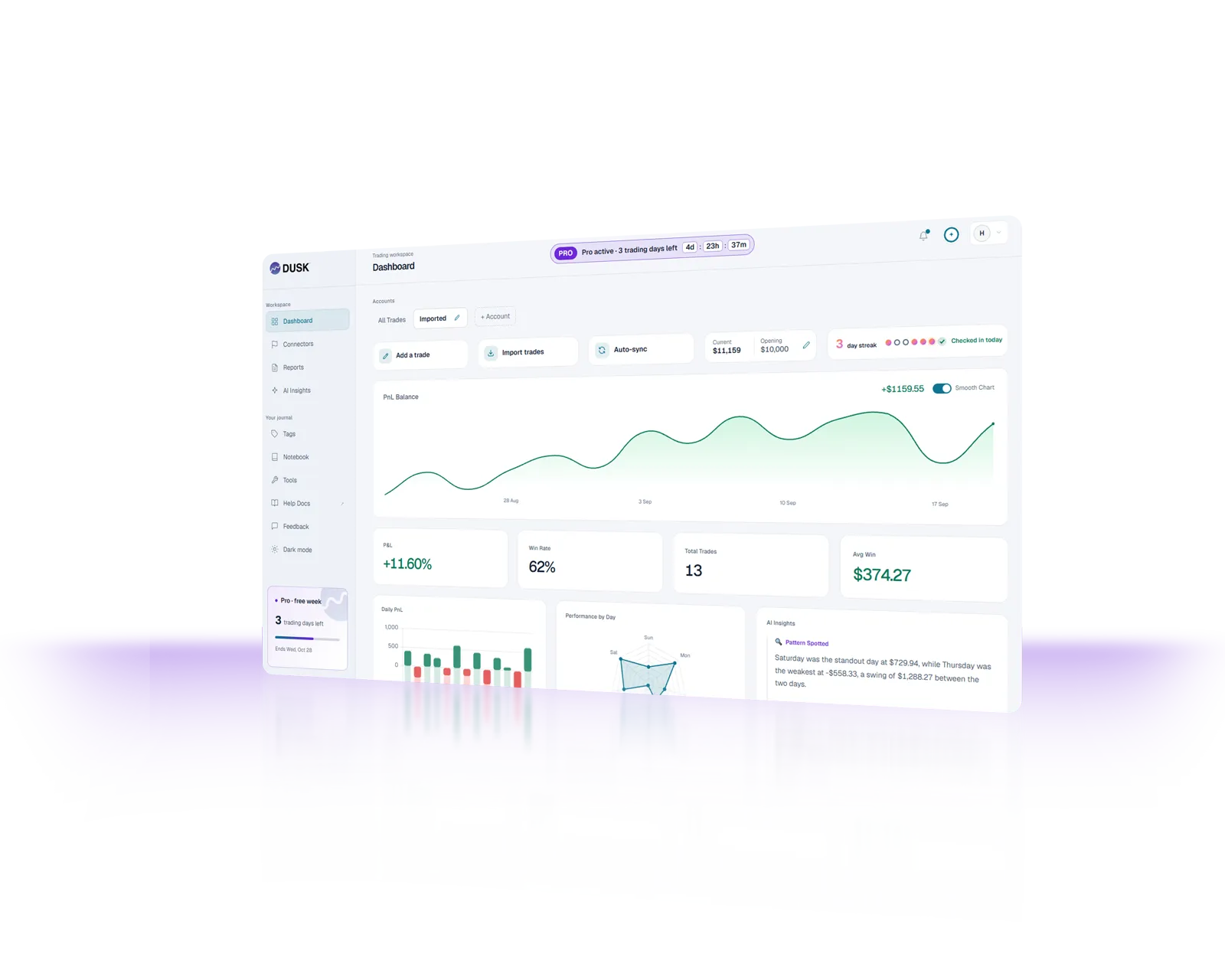
Dusk Analyst vs FX Blue: FX Blue Live is a free web service that analyses and publishes your MT4 and MT5 trading history. Dusk Analyst is a trading journal: you tag setups, write notes, add screenshots and get AI review, on MT4, MT5, cTrader and NinjaTrader 8.
Free tier: 2 accounts, no card required.
FX Blue Live is free and turns your MT4 or MT5 history into a detailed statement you can publish. Dusk Analyst is a private journal for reviewing why you took each trade: free for 2 accounts, live sync on Pro at $25 a month, and it also covers cTrader and NinjaTrader 8 (as of November 2026).
 MetaTrader 4
 MetaTrader 5
 cTrader
 NinjaTrader 8
 FTMO
 The5ers
 FundingPips
 FundedNext
 IC Markets
 Pepperstone
 Topstep
 Alpha Capital
 Exness
 OANDA
 FxPro
 Vantage
Any broker or prop firm on MT4, MT5, cTrader or NinjaTrader 8 syncs. Also imports TradingView, CSV and Excel and MT4 / MT5 reports. See all 365 brokers
Quick answers
Is FX Blue free?
FX Blue says FX Blue Live is 'a free web-based service for analyzing and publishing your trading history' (checked November 2026).
How does FX Blue connect to MT4 and MT5?
With its Publisher EA, set up with your FX Blue username and password, or with automatic account sync. Statements update as often as every 60 seconds while trades are active.
Is FX Blue a trading journal?
It is mainly a statement and analysis tool. A journal adds the why: setup tags, notes and screenshots on each trade, which is what Dusk Analyst is built for.
26 seconds
Watch a trade log itself.
A real MetaTrader terminal. Close the trade, open Dusk Analyst, and it’s already there: symbol, direction, entry, exit and P&L. Nothing to export, nothing to type, nothing forgotten.
Auto-sync (MT4, MT5, cTrader, NinjaTrader) is on Pro. Free is for logging trades by hand.
Get started, freeAt a glance
Dusk Analyst at a glance.
- Price
- $0 or $25/monthFree forever. Pro is one flat price.
- Free plan
- 2 accounts, no cardManual entry, file import, tags, calendars and weekly reports. No time limit.
- Auto-sync
- MT4 · MT5 · cTrader · NinjaTraderOn Pro. Pro starts with a 14-day free trial.
- How sync works
- EA, cBot or NinjaTrader add-onRuns in your own terminal and sends each closed trade.
- Your password
- Never asked forNothing logs into your broker account from our servers.
- Brokers
- 365 checkedAny broker or prop firm on MT4, MT5, cTrader or NinjaTrader 8 works.
- Setup
- About 2 minutesPer account, once.
- Where it runs
- In your browserDesktop and phone. Nothing to install except the EA, cBot or NinjaTrader add-on.
- AI
- Dusk QuantAnswers questions about your own trades. Pro, 1,000 trade-analyses a month.
Side by side
Dusk Analyst vs FX Blue: feature by feature
| Dusk Analyst | FX Blue | |
|---|---|---|
| Main job | Private trading journal and review | Free trading statement, analysis and publishing |
| Price | Free $0 (2 accounts); Pro $25 a month | FX Blue Live is free |
| MT4 / MT5 connection | Read-only EA (MT4/MT5), cBot (cTrader) or add-on (NinjaTrader 8) in your own terminal on Pro; no password shared | Publisher EA with your FX Blue login, or automatic account sync |
| How fast trades appear | Seconds after each trade closes | As often as every 60 seconds while trades are active |
| cTrader and NinjaTrader 8 | Live sync on Pro | Only MT4 and MT5 are named |
| Journaling | Setup tags, notes, screenshots, weekly reports, AI insights | Statistics, risk and analysis tabs |
| Public statements | No, private only | Yes, publish and embed; switch back to private any time |
FX Blue details checked 20 Nov 2026 from the sources below. Dusk Analyst details: our pricing page.
Fair is fair
Where FX Blue is better
- It is free. FX Blue Live costs nothing. Dusk Analyst's live sync is on Pro.
- Public, embeddable statements with API data, if you want to share results.
- MAE and MFE (worst and best price during each trade) from its MT4 Publisher EA.
- Extra free tools, including a trade copier for MT4 and MT5.
Where we win
Where Dusk Analyst is better
- Live MT4, MT5, cTrader and NinjaTrader 8 sync on Pro. A read-only EA, cBot or add-on runs in your own terminal and sends each trade seconds after it closes. Setup takes about two minutes. See connect MT5.
- No password, ever. Dusk Analyst never asks for your broker password or investor password, and nothing logs into your account from our servers. Data is stored on Cloudflare, identity is handled by Auth0, billing by Stripe, and the AI that answers your insight questions comes from a third-party AI provider that receives only the trades you ask about.
- A journal, not just statistics: setup tags, notes, screenshots, weekly reports and AI insights on every trade.
- More platforms: cTrader and NinjaTrader 8 sync too, not just MetaTrader.
- Our honest trade-off: the EA only runs while your terminal runs, on your PC or a VPS. If you close MetaTrader, nothing syncs until you open it again, then it backfills what it missed.
Decision
FX Blue or Dusk Analyst: which should you pick?
| You are... | Pick | Why |
|---|---|---|
| Want free statistics on an MT4/MT5 account | FX Blue | It is free and detailed |
| Want to publish or embed your results | FX Blue | Public statements are built in |
| Reviewing your own trades to improve | Dusk Analyst | Tags, notes, screenshots and AI review on every trade |
| Trading on cTrader or NinjaTrader 8 | Dusk Analyst | Live sync for both on Pro |
Sources
Where these numbers come from
How it works
Live in two minutes.
Create your account
Sign up and grab a per-account API key from the connectors panel.
Drop in the EA, cBot or add-on
One file into MetaTrader 4, MetaTrader 5, cTrader or NinjaTrader 8. No extra software.
Trades sync themselves
Every close pushes into the vault automatically. Journal complete, always.
See it in action
Ask your trading data anything.
Your journal isn't a logbook, it's a dataset. The AI reads your actual trade history and answers the questions that move your edge.
- Why do my losses cluster on Fridays?
- Which strategy am I actually profitable in?
- What happens when I break my 1% risk rule?
Choosing a journal
Free plans, pricing and picks
Broker search
Does my broker work?


Each broker was checked against its own site in our 2026 audit. See all 365.
Pricing
Free is enough to build the habit. Pro is where it runs itself.
Start manual and free. Upgrade to MT4, MT5, cTrader or NinjaTrader auto-sync when you're ready to stop touching it.
Free
$0
A real journal, free from day one. $0 forever, up to 2 accounts, no credit card required, weekly reports included, and manual entry with tags and analytics.
- Up to 2 accounts
- Manual entry + CSV import from any platform
- Tags, calendars & core analytics
- Weekly reports
No terminal connection. Upgrade to Pro when you want the vault to fill itself.
Start freePro
$25/month
The journal that journals itself. $25/month auto-syncs MT4, MT5, cTrader and NinjaTrader 8 across unlimited demo, live and funded accounts, with 1,000 AI trade-analyses a month, monthly reports and full export.
- Auto-sync MT4, MT5, cTrader and NinjaTrader 8 (terminal connection)
- Unlimited accounts, demo, live & funded
- AI insights & automated session reviews
- 1,000 AI trade-analyses every month
- Monthly reports + full export
- Priority support
14-day free trial. Then $25/month.
Start your 14-day free trial See auto-sync in 26 secondsNo setup fees. Free needs no card, and Pro starts with a 14-day free trial. After that it is $25/month. We email you before billing starts.
Your trades, with the why.
Free for 2 accounts. Pro has a 14-day free trial.
Get started, freeNo card required.
FAQ
Dusk Analyst vs FX Blue questions, answered.
Can I run FX Blue and Dusk Analyst together?
Yes. Both use an EA in your terminal, and they do different jobs: a public statement on one, a private journal on the other.
Does Dusk Analyst publish my results?
No. Your journal is private. There is no public profile.
Is Dusk Analyst free?
The Free plan is $0 for 2 accounts with manual entry. Pro is $25 a month for auto-sync, unlimited accounts and AI insights, with a 14-day free trial.
How does Dusk Analyst compare to Fxblue on price?
Dusk Analyst is a flat $25/month for Pro with unlimited accounts, auto-sync (MT4, MT5, cTrader, NinjaTrader), AI insights and weekly reports - plus a genuinely usable free tier (two accounts, no card), and Pro starts with a 14-day free trial. Fxblue's pricing varies by plan and feature set; the comparison section on this page lists the current tiers so you can check the numbers yourself. The short version: one flat price vs tiered plans, and a free tier that isn't a trial.
What's different about Dusk Analyst vs Fxblue?
The core difference is how trades get in. Dusk Analyst auto-syncs MT4, MT5, cTrader and NinjaTrader 8 with read-only connectors - no CSV exports, no manual re-entry on Pro - while Fxblue relies on the import path you choose. Dusk Analyst also adds AI insights on your own trading patterns and keeps pricing flat. Both are cloud journals with good review tooling; the side-by-side section above covers pricing, features and sync paths.
Can I try Dusk Analyst without leaving Fxblue?
Yes - Dusk Analyst's free tier doesn't lock you in. Start journaling with two accounts at $0; if Fxblue suits you better, simply stop using it - nothing is charged. If you want to compare side by side first, Pro's 14-day free trial includes CSV import, so you can mirror recent trades into both and see which workflow you actually stick with.
Is Dusk Analyst really free?
Yes. The free tier costs $0 forever and includes two accounts and manual trade entry - enough to journal a live account properly, with win rate, P&L and equity curve all calculated for you. There is no credit card required to start. Pro ($25/month flat) adds unlimited accounts, MT4/MT5/cTrader/NinjaTrader auto-sync, AI insights on your trading (1,000 trade-analyses a month), monthly reports and full export, with a 14-day free trial. The pricing is deliberately simple: one plan, one price, no per-feature upsells.
Is there a free trial?
Yes. Pro starts with a 14-day free trial, which needs a card: auto-sync from MT4, MT5, cTrader and NinjaTrader 8, AI Insights with 1,000 credits, monthly reports and unlimited accounts. After that Pro is $25/month, and you can cancel anytime from Billing in the app. If you skip it, the account moves to Free with every trade kept.
Can I import my existing trade history?
Yes - CSV import is available on every plan, including free. If you've been tracking trades in a spreadsheet, broker export or another journal, export the CSV from wherever it lives and import it into Dusk Analyst; the journal matches it against your accounts and keeps your history continuous. Import is also the fallback for platforms that don't run MT4, MT5, cTrader or NinjaTrader 8. For MT4/MT5/cTrader/NinjaTrader terminals, Pro auto-syncs going forward and the EA backfills any trades your terminal missed while it was off. Any platform that exports a CSV of your trade history works. Dusk Analyst recognises TradingView, Tradovate, cTrader, MT4 and MT5 exports on sight; for anything else you map your columns once and that parser is saved for next time. Comma, semicolon and tab files are all handled, day-first and month-first dates are detected from the file itself, and any row that cannot be read is listed for you rather than dropped quietly.
How many AI credits do I get with Dusk Analyst Pro?
Pro includes 1,000 AI trade-analyses every month. One credit covers one trade, so asking a question about a 40-trade week costs 40 credits and you can keep asking. The allowance resets on the 1st of each month and the counter sits in the top bar of the app, so you always know where you stand. Narrowing a question to one account or a shorter date range makes the same allowance go much further. AI Insights is part of Pro, which includes the full monthly allowance and starts with a 14-day free trial.
Guides
Find the setup for how you trade.
Compare18
- Best Trading Journal Software
- TradeZella Alternative
- TraderSync Alternative
- Tradervue Alternative
- Edgewonk Alternative
- Dusk Analyst vs TradeZella
- Dusk Analyst vs TraderSync
- Dusk Analyst vs Tradervue
- Dusk Analyst vs Edgewonk
- Dusk Analyst vs TradesViz
- Dusk Analyst vs Myfxbook
- Dusk Analyst vs FX Blue
- Dusk Analyst vs Trademetria
- Dusk Analyst vs Stonk Journal
- Dusk Analyst vs TradeNote
- Best Trading Journal
- Journal vs Spreadsheet
- Myfxbook Alternative