

CSV import, live today
A Bybit trading journal for derivatives done deliberately.
Import your Bybit CSV export today on Pro, or log trades by hand on Free — auto-sync for Bybit is prioritised on the roadmap (MT4, MT5, cTrader and NinjaTrader already auto-sync).
Free tier: 2 accounts, no card required.
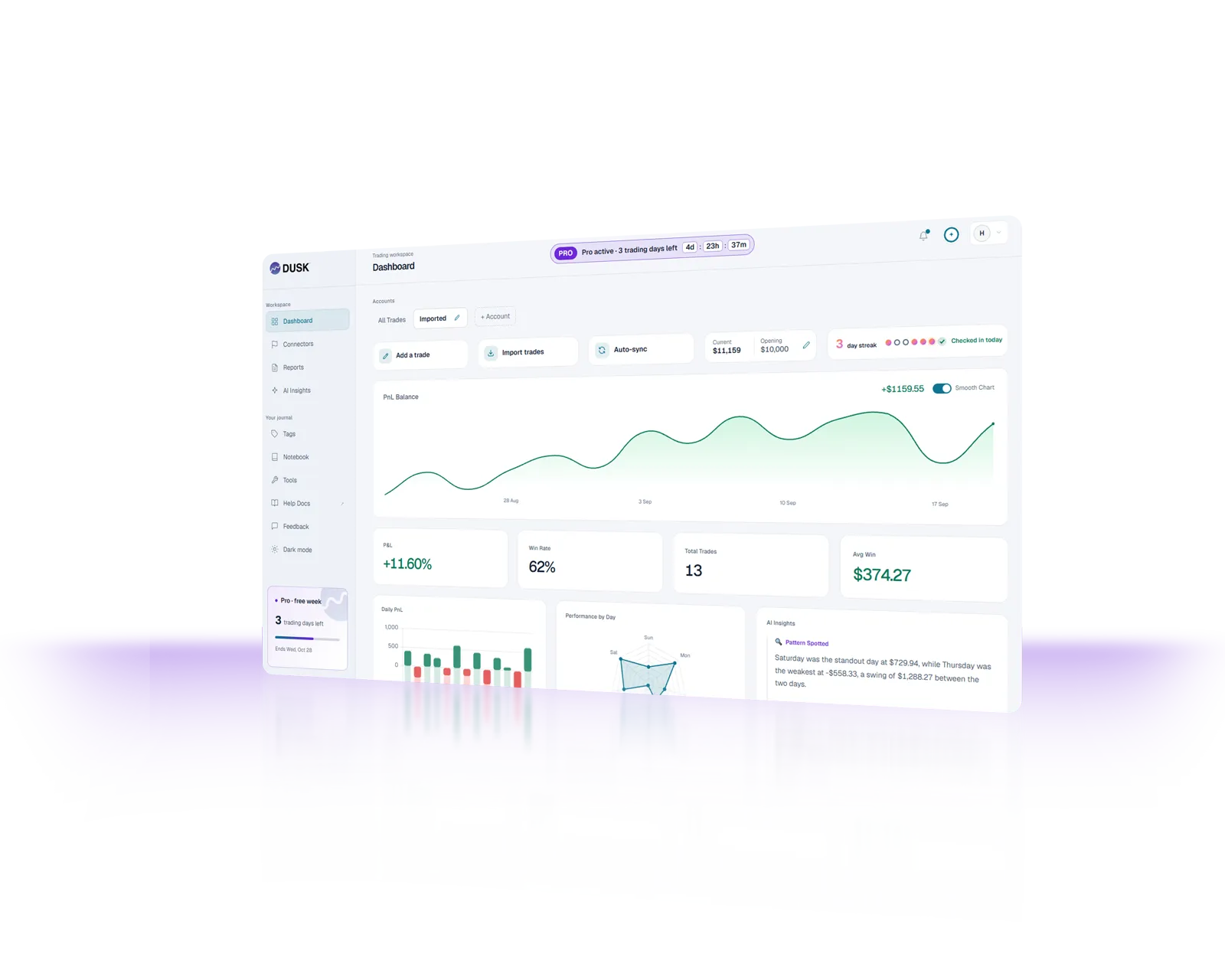
A trading journal for Bybit turns your Bybit trade history into reviewable trades with notes, tags and analytics. In Dusk Analyst you export your Bybit history as a CSV and import it, or log trades by hand, on a free tier with two accounts and no card. Bybit trades do not auto-sync (auto-sync covers MT4, MT5, cTrader and NinjaTrader).
 MetaTrader 4
 MetaTrader 5
 cTrader
 NinjaTrader 8
 FTMO
 The5ers
 FundingPips
 FundedNext
 IC Markets
 Pepperstone
 Topstep
 Alpha Capital
 Exness
 OANDA
 FxPro
 Vantage
Any broker or prop firm on MT4, MT5, cTrader or NinjaTrader 8 syncs. Also imports TradingView, CSV and Excel and MT4 / MT5 reports. See all 365 brokers
Quick answers
What is a good trading journal for Bybit?
One that imports the Bybit CSV export, lets you tag spot, margin and futures trades separately, and shows win rate and P&L by setup. Dusk Analyst does this at $0 on the Free tier.
Is there a free Bybit trading journal?
Yes. Dusk Analyst's Free tier is $0 forever with manual entry, two accounts, tags, calendars, core analytics and weekly reports.
26 seconds
Watch a trade log itself.
A real MetaTrader terminal. Close the trade, open Dusk Analyst, and it’s already there: symbol, direction, entry, exit and P&L. Nothing to export, nothing to type, nothing forgotten.
Auto-sync (MT4, MT5, cTrader, NinjaTrader) is on Pro. Free is for logging trades by hand.
Get started, freeWhy it matters
Why Bybit traders need a journal outside the platform
Bybit is built for derivatives speed — not for reviewing whether your entries were actually good. That is what a journal is for.
CSV import, live today
Export your bybit trade history as CSV and upload it in Dusk Analyst. The import accepts CSVs from any platform, and the Free tier covers two accounts with manual entry, tags, calendars and core analytics at no cost.
Auto-sync is prioritised
Exchange auto-sync is prioritised on the roadmap; MT4, MT5, cTrader and NinjaTrader already auto-sync. MT4, MT5, cTrader and NinjaTrader 8 already push every closed trade into your journal automatically on Pro via a free EA, cBot or add-on — next in line.
Review weekly
Weekly reports shows win rate, profit factor and where losses cluster — no spreadsheet formulas required. Pro at $25 per month adds unlimited accounts, auto-sync (MT4, MT5, cTrader, NinjaTrader) and AI insights.
Perps, in dollars
How to keep a Bybit trading journal so leverage stops hiding the truth
A Bybit trading journal has a different job from the Bybit screen. Derivatives screens show ROI on margin, leverage and liquidation price: useful in the moment, misleading in review. The journal turns every trade back into position size and dollars, so you can see what actually made and lost money.
Step 1: export closed positions, not orders
Use the export that lists closed positions with their realised P&L. Each row is then one finished trade. Map its columns once and the journal remembers the layout. Watch the side column. In Bybit's closed P&L export it shows the closing order, so a long reads as Sell. Map direction from the opening side, then check a few trades against Bybit.
Step 2: read every trade as position value
Take an example trader's own trade. You go long 0.05 BTC on BTCUSDT at $64,000. That is a $3,200 position. At 10x leverage it uses $320 of margin. You close at $63,200, so the loss is 0.05 × $800 = $40. The screen called that −12.5% ROI. On the position it was a 1.25% move. With an example 0.06% fee each way, entry costs $1.92 and exit $1.90, so the net result is −$43.82. The leverage changed the margin, not the loss.
Step 3: count funding
Perpetual positions pay or receive funding while open. A swing long held for three days can bleed several funding payments even when price goes nowhere. Map a funding column to swap if your file has one. If not, write the total in the trade's note.
What to tag on derivatives
- Leverage used: 3x, 10x, 25x. The export does not carry it, and it is the tag most traders wish they had.
- Stop placed: yes or no. Trades without a stop are where liquidations come from.
- Reason for exit: target, stop, manual, liquidation.
- Setup: from a short list you actually trade.
The review that matters
- Average position value of winners vs losers. If losers are bigger, fix size before you touch entries.
- Results by leverage tag. High-leverage trades often have a good win rate and a bad net result.
- Fees and funding as a share of gross P&L. Active perp traders can give back a large part of their gains this way.
Run this review after every 50 closed trades. To check how much you can lose in a row before an account is in trouble, try the risk of ruin calculator with your own win rate and size.
How it works
Live in two minutes.
Create your account
Sign up and grab a per-account API key from the connectors panel.
Drop in the EA, cBot or add-on
One file into MetaTrader 4, MetaTrader 5, cTrader or NinjaTrader 8. No extra software.
Trades sync themselves
Every close pushes into the vault automatically. Journal complete, always.
See it in action
Ask your trading data anything.
Your journal isn't a logbook, it's a dataset. The AI reads your actual trade history and answers the questions that move your edge.
- Are my losing Bybit perps bigger than my winners?
- How much has funding cost me on trades I held overnight?
- What day of the week do I lose the most on BTCUSDT?
Crypto
Other crypto exchange journals
Broker search
Does my broker work?


Each broker was checked against its own site in our 2026 audit. See all 365.
Pricing
Free to start. $25 a month to automate.
Turn Bybit trades into a review habit.
Structured analytics, weekly reports, at no cost to start.
Get started, freeNo card required.
FAQ
bybit journaling questions, answered.
How do I import Bybit derivatives trades into a trading journal?
To import Bybit derivatives trades into a trading journal, export your closed trades from Bybit as a CSV and upload it. Bybit is not read on sight, so on the first upload you match its columns once: contract, side, quantity, entry price, exit price, closed P&L and fees. That layout is saved, and every later Bybit file goes straight in. Use the closed-positions export with realised P&L, not raw order fills, so each row is one finished trade.
Why do my Bybit longs show up as shorts after importing?
Your Bybit longs show up as shorts because the closed P&L export records the side of the closing order. A long is closed with a sell, so that column says Sell for every long you took. Dusk Analyst refuses to guess direction from that column for exactly this reason. When you map the file, point direction at the opening side, or set it by hand, then check five trades against Bybit before you trust any total.
Should I judge Bybit trades by ROI or by dollars?
Judge Bybit trades in dollars and position size, not ROI on margin. A 25% ROI at 25x leverage is only a 1% move on the position: it reads like a big win and may be a small one. Your journal stores size, entry, exit and P&L, so the real position value of every trade is right there. Compare winners and losers by that value, never by the leverage you happened to pick.
Where do Bybit funding fees go in my journal?
Bybit funding fees belong on the trade itself, not in a separate list. Funding is paid or received while a perpetual is open, so a long held through several funding times can lose money even when price barely moved. If your export has a funding or financing column, map it to swap, the field that holds holding costs in the journal. If it does not, write the funding total in the note on any trade you held for hours or days.
Can I track Bybit spot and perpetual trades in the same journal?
Yes, Bybit spot and perpetual trades can share one journal, as two separate accounts. Perps carry leverage, funding and liquidation risk that spot does not, and blending them makes both sets of numbers harder to read. The Free plan at $0 gives you 2 accounts: one spot book, one derivatives book. Pro at $25 a month removes the account cap if you also want a book per strategy or sub-account.
Can Dusk Quant tell me if my Bybit leverage is too high?
Dusk Quant can show you what your Bybit position sizes did, but it cannot read your leverage setting. Leverage is not in a closed-trade export; size, entry, exit and P&L are. Ask whether your losing trades were bigger than your winners, or what your worst ten trades shared. Tag the leverage you used on each trade and it can compare those tags too. Pro includes 1,000 AI trade-analyses a month.
Guides