

CSV import, live today
A Bitget trading journal for copy trades and perps.
Import your Bitget CSV export today on Pro, or log trades by hand on Free — auto-sync for Bitget is prioritised on the roadmap (MT4, MT5, cTrader and NinjaTrader already auto-sync).
Free tier: 2 accounts, no card required.
 MetaTrader 4
 MetaTrader 5
 cTrader
 NinjaTrader 8
 FTMO
 The5ers
 FundingPips
 FundedNext
 IC Markets
 Pepperstone
 Topstep
 Alpha Capital
 Exness
 OANDA
 FxPro
 Vantage
Any broker or prop firm on MT4, MT5, cTrader or NinjaTrader 8 syncs. Also imports TradingView, CSV and Excel and MT4 / MT5 reports. See all 365 brokers
26 seconds
Watch a trade log itself.
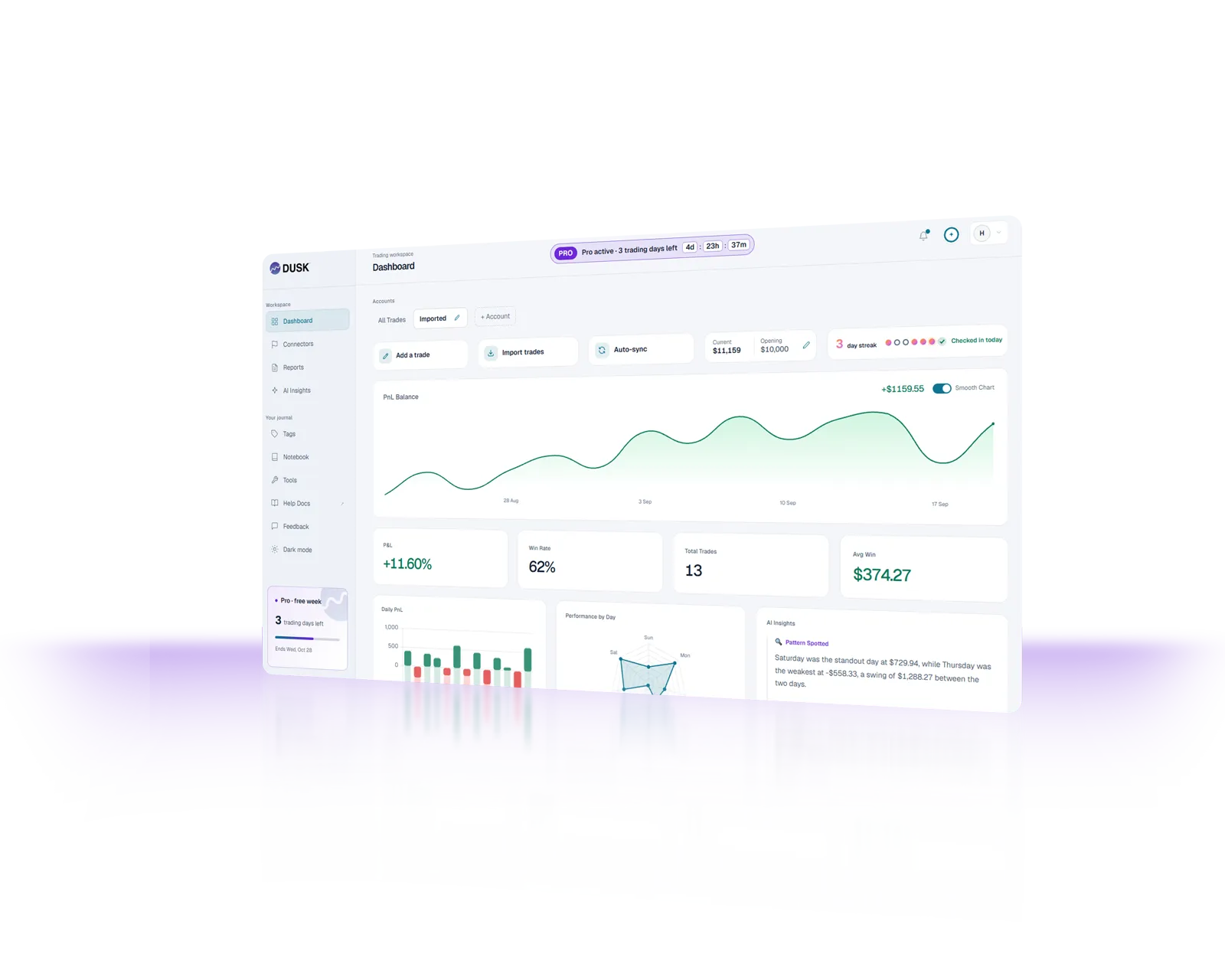
A real MetaTrader terminal. Close the trade, open Dusk Analyst, and it’s already there: symbol, direction, entry, exit and P&L. Nothing to export, nothing to type, nothing forgotten.
Auto-sync (MT4, MT5, cTrader, NinjaTrader) is on Pro. Free is for logging trades by hand.
Get started, freeWhy it matters
Why Bitget traders need a journal outside the platform
Copy trading and perps move fast on Bitget. Journaling is how you separate what worked from what felt busy.
CSV import, live today
Export your bitget trade history as CSV and upload it in Dusk Analyst. The import accepts CSVs from any platform, and the Free tier covers two accounts with manual entry, tags, calendars and core analytics at no cost.
Auto-sync is prioritised
Exchange auto-sync is prioritised on the roadmap; MT4, MT5, cTrader and NinjaTrader already auto-sync. MT4, MT5, cTrader and NinjaTrader 8 already push every closed trade into your journal automatically on Pro via a free EA, cBot or add-on — next in line.
Review weekly
Weekly reports shows win rate, profit factor and where losses cluster — no spreadsheet formulas required. Pro at $25 per month adds unlimited accounts, auto-sync (MT4, MT5, cTrader, NinjaTrader) and AI insights.
Copy trading, accounted
A Bitget trading journal for copy traders: decide who to keep copying
Copy trading changes what a Bitget trading journal is for. You did not choose the entries, so reviewing each setup is not the point. You chose three things: who to copy, how much to put behind them and when to stop. Your journal should track exactly those decisions.
Set it up
- Import your Bitget history as a CSV. Map the columns once on the first import; later files use the same mapping.
- Tag every copied trade with the trader you copied, for example copy-A. Tag your own trades manual.
- Add a size tag when you change how much you copy with, so you can see results before and after.
The scorecard for each trader
After at least 30 copied trades per trader, check these in your own results:
- Net P&L after fees in your account, not the trader's profile figure.
- Average win vs average loss. A high win rate with a small average win is fragile.
- Worst single trade. If one trade can wipe out a month, that is the trader's real risk.
- Share of your total profit. If one trader makes all of it, your copy portfolio is really one trader.
A worked example
Take an example trader copying two people for a month. Trader X: 40 trades, 30 winners averaging +$25 (+$750) and 10 losers averaging −$60 (−$600), so +$150 net. Trader Y: 20 trades, 9 winners averaging +$110 (+$990) and 11 losers averaging −$45 (−$495), so +$495 net. X wins 75% of the time and Y only 45%, yet Y made over three times as much money from half the trades. Expectancy tells the same story: X makes $3.75 a trade, Y makes $24.75. A profile that leads with win rate would have pointed you at the wrong trader.
Your own decisions to note
- When you started and stopped copying each trader, and why.
- When you raised or cut copy size, especially after a winning or losing streak.
- Any trade you closed by hand before the trader did.
Mistakes that cost copy traders
- Raising size after a hot streak, just before the losses arrive.
- Copying too many traders at once, so no one has enough trades to judge.
- Leaving copied and own trades untagged, so neither can be judged.
Review each trader's scorecard every month and drop the weakest one if it stays negative. To see how win rate and average win and loss combine, read about expectancy.
How it works
Live in two minutes.
Create your account
Sign up and grab a per-account API key from the connectors panel.
Drop in the EA, cBot or add-on
One file into MetaTrader 4, MetaTrader 5, cTrader or NinjaTrader 8. No extra software.
Trades sync themselves
Every close pushes into the vault automatically. Journal complete, always.
See it in action
Ask your trading data anything.
Your journal isn't a logbook, it's a dataset. The AI reads your actual trade history and answers the questions that move your edge.
- Which of the traders I copy on Bitget actually made me money?
- Are my own trades doing better than the ones I copy?
- Did bumping my copy size after a losing week help or hurt?
Crypto
Other crypto exchange journals
Broker search
Does my broker work?


Each broker was checked against its own site in our 2026 audit. See all 365.
Pricing
Free to start. $25 a month to automate.
Turn Bitget trades into a review habit.
Structured analytics, weekly reports, at no cost to start.
Get started, freeNo card required.
FAQ
bitget journaling questions, answered.
How do I journal Bitget copy trades?
To journal Bitget copy trades, import your Bitget history as a CSV and tag every copied trade with the name of the trader you copied. That tag turns a mixed list into a clear answer: which traders made you money and which cost you. Bitget files are not read on sight, so you match the columns on your first import and Dusk Analyst reuses that mapping for every Bitget file after it. Copy trades and your own trades can share one account as long as each is tagged.
How do I know if a Bitget copy trader is worth following?
A Bitget copy trader is worth following only if they make money in your own account, not just on their profile. You copy their trades at your size, your timing and your fees, so your numbers can differ from theirs. After 30 or more copied trades, compare each trader's net P&L, average win, average loss and worst single trade in your Bitget trading journal. A trader who wins often but takes a few very large losses can still cost you money.
Should I keep copy trades and my own trades in separate accounts?
Either works, but tags are simpler for most copy traders. One account with a tag on each trade, such as copy-Anna or manual, puts copied and own trades side by side in one view. If you want a separate equity curve for each, use two accounts instead. Two accounts fit inside the Free plan at $0. Pro, at $25 a month, removes the account cap, so each trader you copy can have an account of their own.
Can I import Bitget futures and perpetual trades?
Yes, Bitget futures and perpetual trades come in through the column mapper. Export the history that lists closed positions with realised P&L, so each row is one finished trade, then map pair, side, size, entry, exit, P&L and fees. On the first import, check the side column, because some exchange exports show the closing side. Compare five trades with Bitget before you trust the totals. Your column choices are saved for the next file.
What should I write in the notes on a copied trade?
On a copied trade, write down why you are still copying, not why the trade was taken, because you did not take it. Short notes such as "kept after 3 losses in a row" or "raised copy size today" record the decisions you actually control. Later, Dusk Quant can read those notes and tags next to the trade results, so you can see whether raising size after a streak helped you or hurt you.
Can I try Dusk Analyst free with my Bitget history?
Yes, you can journal your Bitget history for free. The Free plan costs $0, needs no card and holds 2 accounts with no trade limit. CSV import, tags, calendars and weekly reports are all included, which covers everything a Bitget journal needs. Pro starts with a 14-day free trial, which adds Dusk Quant for questions about your copied traders. When those days end you drop back to Free unless you subscribe, and every trade stays.
Guides